
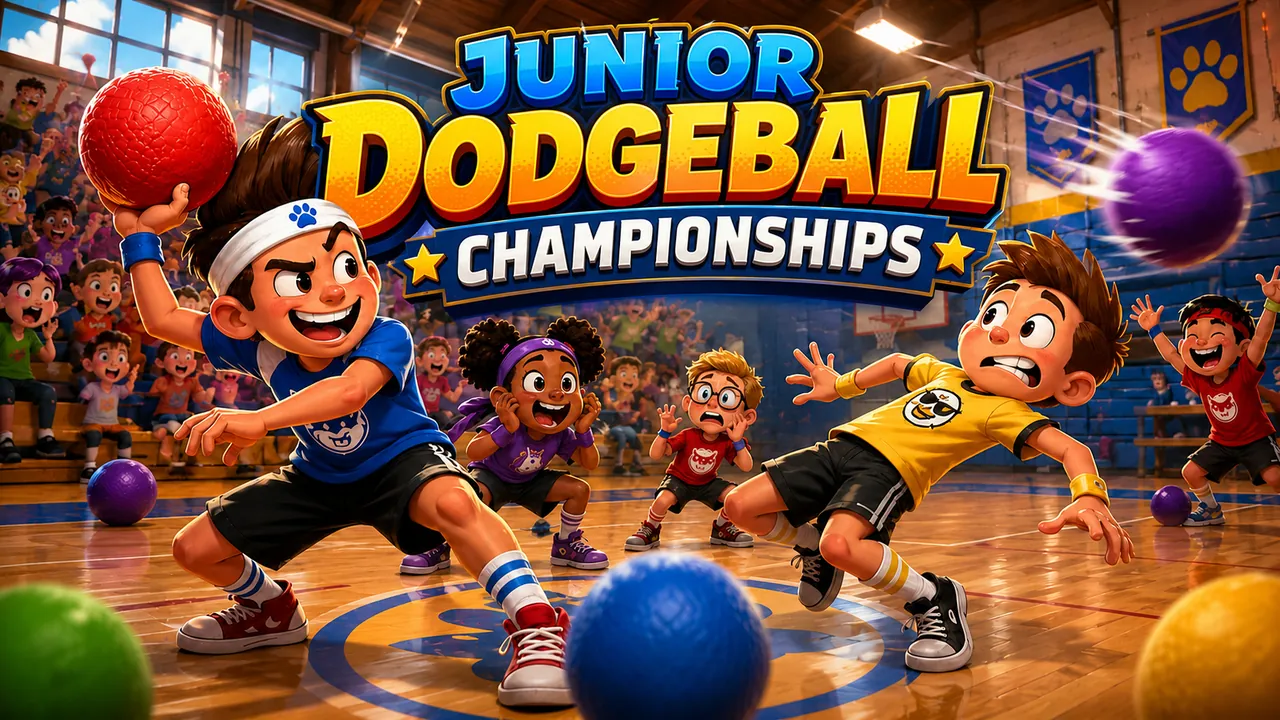
Junior Dodgeball Championships · Cover art
Out Now
School sports management
Junior Dodgeball Championships
Coach the squad, then aim every throw yourself.
Junior Dodgeball Championships is a game for Windows PC: school sports management. Play the free demo in your browser (4 league fixtures), then get the full game for $1.99: one payment, no subscription, no account.
Coach a school dodgeball squad through eligibility rules, playground politics and slapstick injuries, then take the court and aim the throws yourself.
Full game$1.99
Free demo4 league fixtures
A good break50 schools in 5 divisions, a 9-Saturday league every season, then the division playoffs, the Regional Qualifiers, the National Championship and the Junior World Cup.
PlayersSingle player
Game languageEnglish
Card and other methods, on Creem's checkout
You pay on the checkout page of the method you choose, then come back here to download.
Play free demo of Junior Dodgeball Championships$1.99 full game · One purchase, no subscription.
If a game does not run on your computer, or simply is not what you expected, you can ask for a full refund within 14 days of purchase. Refund policy
- $1.99 once, no subscription
- 14-day refunds
- DRM-free Windows installer that plays offline
- Pay with Creem or PayPal
A CLOSER LOOK
See it in action.
Real screens from the game. Select an image for a closer look.
YOUR NEXT “ONE MORE GO”
What makes it fun.
You coach a junior school dodgeball team full of children who are athletes, students and small agents of chaos, all at once.
On court, you aim, charge and pick every throw yourself.
Handle playground incidents, each with three ways to answer it.
TRY A LITTLE. PLAY A LOT.
Get a taste of Junior Dodgeball Championships.
FREE BROWSER DEMO
4 league fixtures
Learn the controls and play the opening. It costs nothing and needs no account.
- Play straight in your browser
- A short opening slice
- Replay as often as you like
THE FULL GAME · $1.99
The rest of the game.
Fifty schools, five divisions, regional and national tournaments, and the Junior World Cup.
- Everything past the demo
- A Windows installer to keep
- One price, no subscription
Card and other methods, on Creem's checkout
$1.99 full game · One purchase, no subscription.
THE FILE
What you download, in plain facts.
System requirements
| Requirement | Minimum | Recommended |
|---|---|---|
| Operating system | Windows 10 (64-bit) | Windows 10 or Windows 11 (64-bit) with current updates |
| Processor | 64-bit (x64) processor with SSE3 support | Dual-core 64-bit processor |
| Memory | 4 GB RAM | 8 GB RAM |
| Graphics | DirectX 11 graphics. Integrated graphics are enough. | Integrated or dedicated graphics with current drivers |
| Free disk space | 350 MB | 1 GB |
| Display | 960 x 540 | 1280 x 720 or larger |
| Controls | Keyboard and mouse | Keyboard and mouse |
Installed size: 262 MB, plus the 79 MB installer. In our own test on Windows 11 with integrated graphics, Junior Dodgeball Championships used up to about 1160 MB of memory while playing.
- Version
- 1.0.0
- File
- Junior Dodgeball Championships Setup 1.0.0.exe (79.0 MB)
- Checksum (SHA-256)
fba8bcb14375901a…The full value is on your order page. Check your download with Get-FileHash in PowerShell.- Works on
- Windows 10 or newer (64-bit). One-click installer: no other software needed.
- Installs
- For your Windows user only. The installer does not ask for administrator rights.
- Internet
- Not needed to play. The installed game works offline.
- Account and DRM
- None. No launcher, account, subscription or online activation.
- Your saves
- Kept in your Windows user profile, so they survive updates and uninstalling.
- Controls
- Mouse, Keyboard, Touch
- Made by
- Developed by Fire Dragon Interactive, published by Snack Break Games.
- Windows warning
- The installer is not code-signed, so Windows may show "Windows protected your PC". Choose More info, then Run anyway. The SHA-256 checksum lets you confirm the file is the one we published.
CONTROLS AND COMFORT
How it plays.
Aim with the mouse, hold left click to charge a throw and release to let it go. The number keys pick which kid throws. On the computer's turn, dodge with the arrow keys or a right click, and catch with Space or a left click as the ring turns green. On a touch screen you drag the aim pad and press the Throw button, swipe to dodge and tap to catch.
You can simulate the Wednesday friendly instead of playing it, and set defence to automatic so the computer's turn needs no reflexes. Charging is hold-and-release. Auto-aim and match speed (0.75x to 1.5x) are in Options, and so are the difficulty and separate music and effects volumes. Harder difficulties give rival kids extra stat points and easier ones take points away.
PLAYERS SCORE IT
What players say about Junior Dodgeball Championships.
Scores run from 1 (worst) to 10 (best). Only players who bought the game can rate it, and you can change your score later.
Player scores
No ratings yet.
Only players who bought Junior Dodgeball Championships can rate it, from 1 to 10, once each. Refunded orders do not count.
Bought it? Rate it
QUICK ANSWERS
Before your next break.
How much is Junior Dodgeball Championships?+
Junior Dodgeball Championships costs $1.99 (US dollars) as a one-time purchase with no subscription. The free browser demo costs nothing.
Can I trust buying Junior Dodgeball Championships here?+
You pay with Creem, our Merchant of Record, or with PayPal, so we never see your card details. If you use PayPal, we never see your PayPal password either. The game is a DRM-free installer. Its file size and the start of its SHA-256 checksum are listed on this page. If it is not for you, you can ask for a refund within 14 days.
How does buying Junior Dodgeball Championships work?+
Choose Buy full game to pay on Creem's secure checkout, or Pay with PayPal to pay on PayPal. You return to your order page, download the Windows installer, double-click it and open Junior Dodgeball Championships from the shortcut on your desktop. It is a one-time purchase with no subscription.
What platforms does Junior Dodgeball Championships run on?+
The full game is a one-click installer for Windows 10 or newer (64-bit). The free demo runs in a modern desktop web browser, including on macOS and Linux, so you can try it there first.
What are the system requirements for Junior Dodgeball Championships?+
Junior Dodgeball Championships needs Windows 10 (64-bit), a 64-bit (x64) processor with SSE3 support, 4 GB of memory and 350 MB of free disk space. DirectX 11 graphics. Integrated graphics are enough. The installed game takes 262 MB, and its window opens at 1280 x 720.
Does Junior Dodgeball Championships need an internet connection?+
No. The installed game runs in its own window and works offline. The free demo loads from this website in your browser.
What if the installer does not run, or Windows shows a warning?+
Our installers are not code-signed, so Windows may show "Windows protected your PC". Choose More info, then Run anyway. If the game still does not run on your computer, email support@snackbreakgames.com and ask for a refund within 14 days.
Can I download Junior Dodgeball Championships again?+
Yes. Your order page keeps issuing fresh download links for at least 30 days. After that, email support@snackbreakgames.com from your purchase address with your order number.
What happens to my saves if I uninstall Junior Dodgeball Championships?+
Your saves stay in your Windows user profile, so they survive updates and uninstalling.
How long does Junior Dodgeball Championships take to play?+
50 schools in 5 divisions, a 9-Saturday league every season, then the division playoffs, the Regional Qualifiers, the National Championship and the Junior World Cup. The free demo covers 4 league fixtures.
What can I play for free?+
The browser demo includes 4 league fixtures. Play it here before you decide about the full game.
What does the full game include?+
Fifty schools, five divisions, regional and national tournaments, and the Junior World Cup.
How do I play?+
Mouse, Keyboard, Touch controls. Aim with the mouse, hold left click to charge a throw and release to let it go. The number keys pick which kid throws. On the computer's turn, dodge with the arrow keys or a right click, and catch with Space or a left click as the ring turns green. On a touch screen you drag the aim pad and press the Throw button, swipe to dodge and tap to catch.
ANOTHER ONE FOR THE SHELF
More sports to try.
 Out Now$1.99FULL GAME
Golden Hour Open
One more hole before the sun goes down.
Read the wind, pick your club and chase a better score on four painted golf courses, then build a career on the tournament circuit.
9 Willowmere holesRounds of nine or eighteen holes, and a long career: one pass through its 27 events is 1152 holes.
 In Development
Ringside Dynasty
Build a boxer, train for the next opponent and fight your way up five leagues.
Create a boxer, train for your next opponent and fight up through five leagues, then try ten host-city tournaments or take on a friend on one screen.
WindowsA career bout is three rounds of 75 seconds, or five rounds from the third league up; exhibitions run from 3 to 12 rounds.
See the game — Ringside Dynasty  In Development
Soccer Director 2027
Plan the week. Pick the team. Make the calls from the touchline.
Run a football club week by week. Plan training and transfers, pick your formation and roles, then manage matches live with pressing, substitutions and team talks.
WindowsYou set the pace: each week is one turn, and each match moves on only when you press the button.
See the game — Soccer Director 2027